Why We Built a Photo Editor for One Simple Task
Most people do not want to become photo editors. They have one image to fix, one form to complete or one private photo they would rather not send to a server, and they want to finish the job without learning Photoshop.
That is the problem InpaintPix is built around.
What problem are we trying to solve?
The questions people ask are usually about the result, not the software. They ask how to remove a background without Photoshop, how to erase something from a photo, or how to change an ID photo background. They are not asking which model to use or which editing workflow to learn.
That changes how a useful product should be organized. Instead of putting every feature into one crowded editor, InpaintPix starts with the job a person is trying to finish:
- remove an unwanted object, watermark or piece of text;
- remove a background and save a transparent PNG;
- change an ID or passport photo background;
- prepare a photo at the size a visa or application requires.
Each entry point has one clear purpose, so a first-time visitor can choose an outcome rather than decode a professional editing interface.
What do people actually need when they search for a photo editor?
The people we design for are not usually comparing advanced editing software. They are trying to finish something specific before moving on with their day. A student may need a plain-background photo for an application. A traveller may discover that a passport photo must be a different size. A family member may want to remove an unwanted person from a picture before sharing it. A small shop owner may need a transparent product image for a listing.
These situations have a common pattern: the person has one photo, a clear outcome and very little interest in learning a complete photo-editing system. They may be using a phone or a basic laptop, they may not know the difference between pixels and millimetres, and they may not want to create an account for a task they will perform once.
That is why the useful question is not “Which editor has the most features?” It is “What is the shortest trustworthy path from this photo to the result I need?” A free online photo editor is valuable when it reduces uncertainty as well as effort.
How we turn a vague request into a clear next step
People often arrive with a request that sounds simple but hides several decisions. “I need a passport photo” might mean changing a background, cropping to a country-specific size, arranging several copies for printing or checking whether the final image meets an application requirement.
We break that request into a sequence that is easy to understand:
- Choose the outcome. Start with “remove an object,” “remove a background” or “make an ID photo,” rather than asking the visitor to select from a long list of tools.
- Add one image. The interface should make it obvious what kind of photo is needed and what will happen next.
- Make the smallest useful change. The tool should focus on the requested result instead of exposing settings that are irrelevant to the task.
- Check before downloading. The person should be able to inspect the background, edges, size and layout before using the image elsewhere.
- Leave with a usable file. The result should be easy to download and should not require a subscription, watermark removal step or account recovery later.
This task-first approach helps both beginners and occasional users. It also makes the product easier to explain: remove a background, erase an unwanted object or prepare a photo for a form.
Why browser-based processing changes the experience
Privacy is not only a legal or technical concern. It changes whether people feel comfortable using a tool at all. An ID photo, passport photo or family picture can reveal more than a person wants to share with an unfamiliar service.
When editing happens in the browser, the user can understand the boundary more easily: the photo stays on the device while the work is being done. There is no upload queue to wait for, no account dashboard to manage and no question about where an old image is stored. This is especially important for people who need a private photo editor for a single, time-sensitive task.
The same design also helps with speed. A user does not have to verify an email address, choose a plan or wait for a large project to be created. They can open the tool, make the change and close the tab when the job is finished.
What we intentionally leave out
A professional editor can be the right choice for someone who works with images every day. It offers layers, masks, colour controls, timelines and many other capabilities. Those features are powerful, but they also create a learning cost.
InpaintPix is intentionally narrower. It does not try to replace every image application or turn a one-off visitor into a design professional. We leave out controls that do not help with the immediate result, keep the language plain and make the primary action visible. The product is successful when someone who has never used Photoshop can complete a photo fix without asking what half of the buttons mean.
This is also why our guides begin with user questions. “How do I remove a background without Photoshop?” is a more useful starting point than a list of editing functions. The answer should explain the decision the person needs to make, show the shortest path and warn about the details that could make the final image unusable.
When a simple photo editor is the right choice
You probably do not need a full design suite when you only need to:
- remove a person, watermark or piece of text from one image;
- create a transparent PNG for a product, presentation or marketplace listing;
- change an ID photo to a white, blue or red background;
- crop and arrange a visa or passport photo for printing;
- make a quick correction on a shared or borrowed computer.
In these cases, the best tool is often the one that asks the fewest questions and makes the fewest new problems. A simple editor should help you finish the original task, not create a second task called “learn the editor.”
Why does privacy come first?
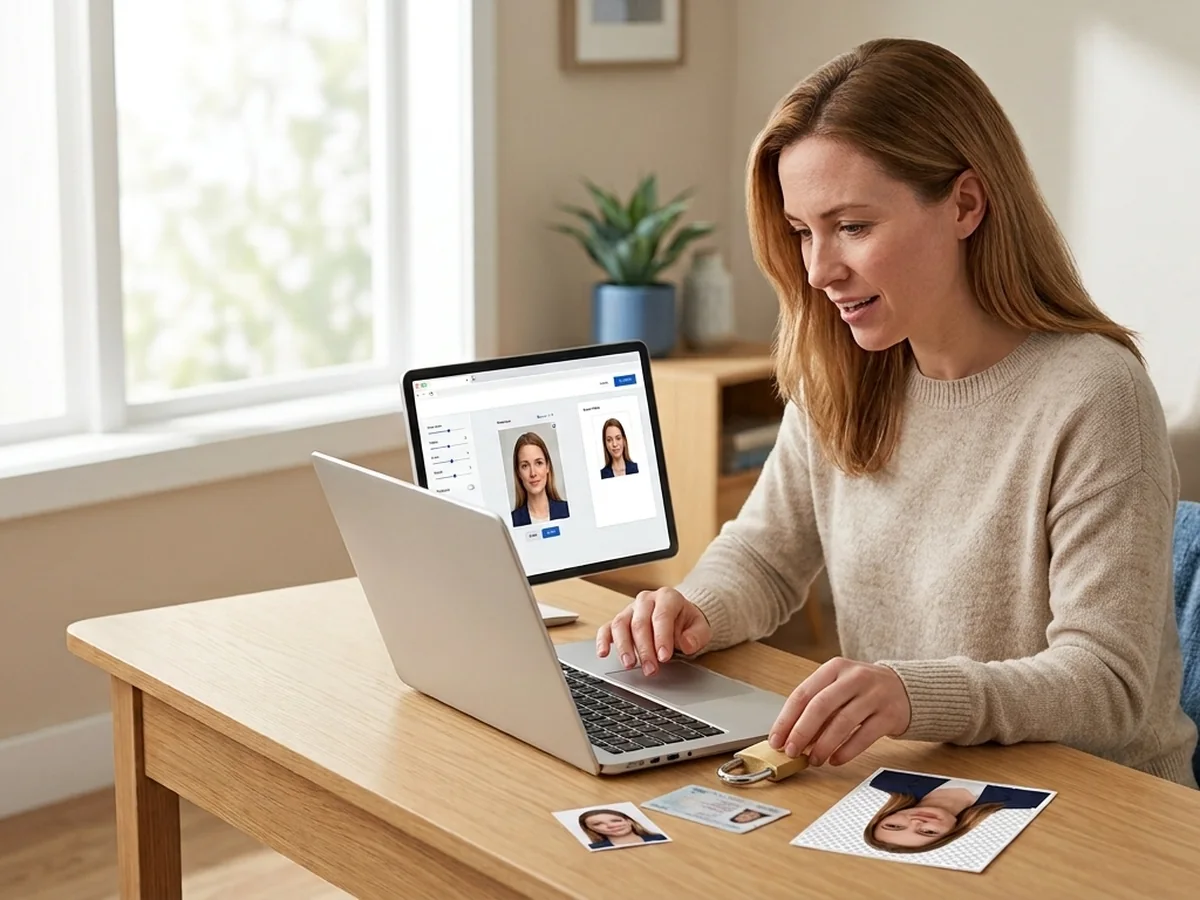
Personal photos are not ordinary files. An ID photo can contain a face, a passport application can contain identifying details, and a family photo may simply be something a person does not want to share.
For that reason, InpaintPix processes photos in the browser. There is no account to create and the image is not uploaded to a server. Privacy is not an extra setting that people have to discover after they start. It is part of the default way the tools work.
Why does free access matter?
Many photo fixes are one-off jobs. Someone needs one visa photo today, one transparent product image or one unwanted person removed from a picture. Asking that person to subscribe, create an account or compare plans before they can test the result adds more work than the photo itself.
The tools are free, have no sign-up requirement and do not add a watermark. That makes the product useful even when someone only visits once. If the result helps, they can come back because the workflow was simple, not because an account keeps them locked in.
How do we handle ID and passport photos?
Official photo requirements are a different kind of problem. A person may already have a suitable portrait but the background colour, dimensions or print layout may be wrong.
The ID Photo tool therefore combines the jobs people commonly need together. It can change the background colour, search a library of more than 400 size specifications, accept a custom size and arrange copies on a printable sheet. The visa and passport guide explains the common 35 × 45 mm format, the US 2 × 2 inch exception and other country-specific sizes.
The goal is not to make someone learn how photo specifications work. It is to help them match the requirement they already have.
What should happen when someone only needs one edit?
The shortest useful workflow is usually the best one: choose the task, add the photo, check the result and download it. A person should be able to stop there without creating a profile, learning a timeline or reading a manual.
That principle also shapes the blog. Each guide starts with a real task, shows the result, explains only the steps needed for that task and links to the next useful tool when the problem is related.
More free tools
- Remove unwanted objects cleans watermarks, text, people and other objects from a photo.
- Remove a background keeps the subject and exports a transparent PNG.
- Change an ID photo background handles colours, sizes and printable layouts.
- Check visa and passport photo sizes gives the dimensions before you start editing.
Questions people ask
Do I need Photoshop to use InpaintPix?
No. Each tool is designed around one photo task, so you can upload a photo, choose the result you need and download it without learning Photoshop.
Are my photos uploaded?
No. The tools process photos in your browser, so personal images are not sent to a server for editing.
Is InpaintPix free?
Yes. The tools are free to use, with no account requirement and no watermark on the result.
Can I use it for a visa or passport photo?
Yes. The ID Photo tool includes visa and passport size specifications, background colours and printable layouts. Always check the final requirements of the office or application receiving your photo.
Have one photo to fix right now?
Fix It Free