How to Remove Background Without Photoshop, Free
Removing a background used to mean Photoshop and a steady hand. Drop a photo into the cutout tool and the subject stays while everything behind it goes away.
About the cutout tool
The tool finds the subject in your photo and cuts it out on its own, so you never have to mask anything by hand.
- Free, with no usage limits and no account to create.
- It runs entirely in your browser. Your photo is never uploaded, so private images stay private.
- Product shots, avatars, stickers and ID photos all work.


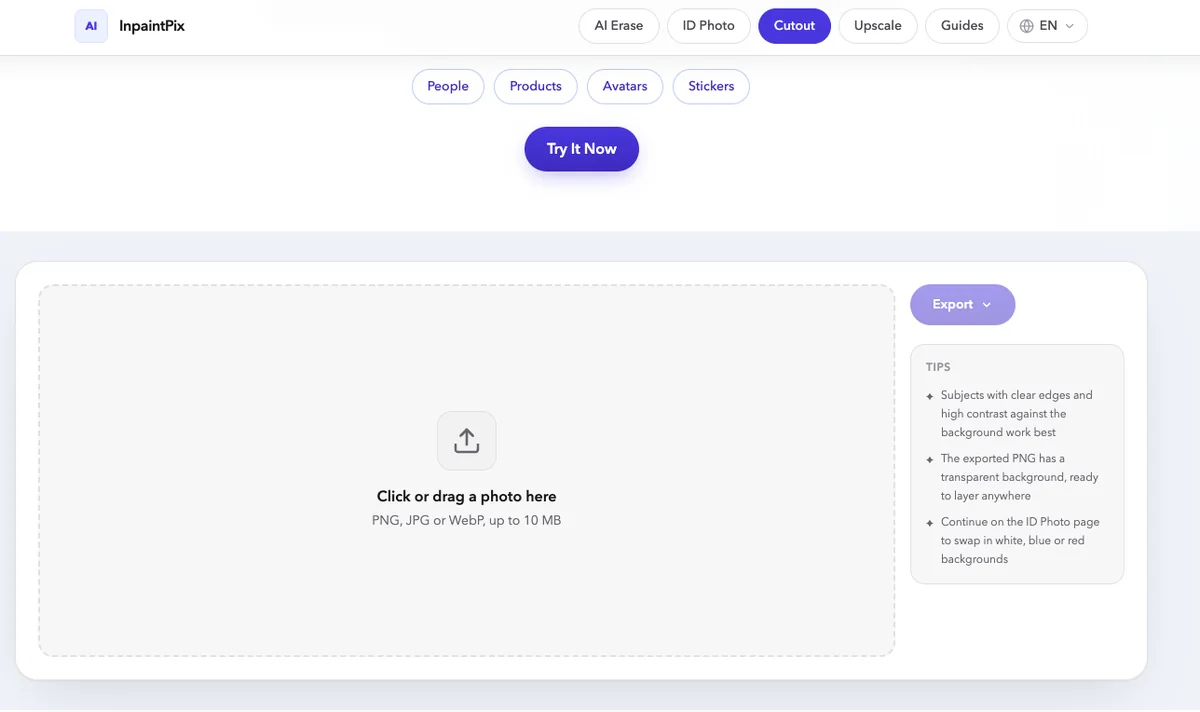
1Add a photo
Click the drop area, or drag a file onto it. PNG, JPG and WebP are supported, up to 10 MB. There is no account to create, and the result carries no watermark. A Chinese version of the same tool is available too.
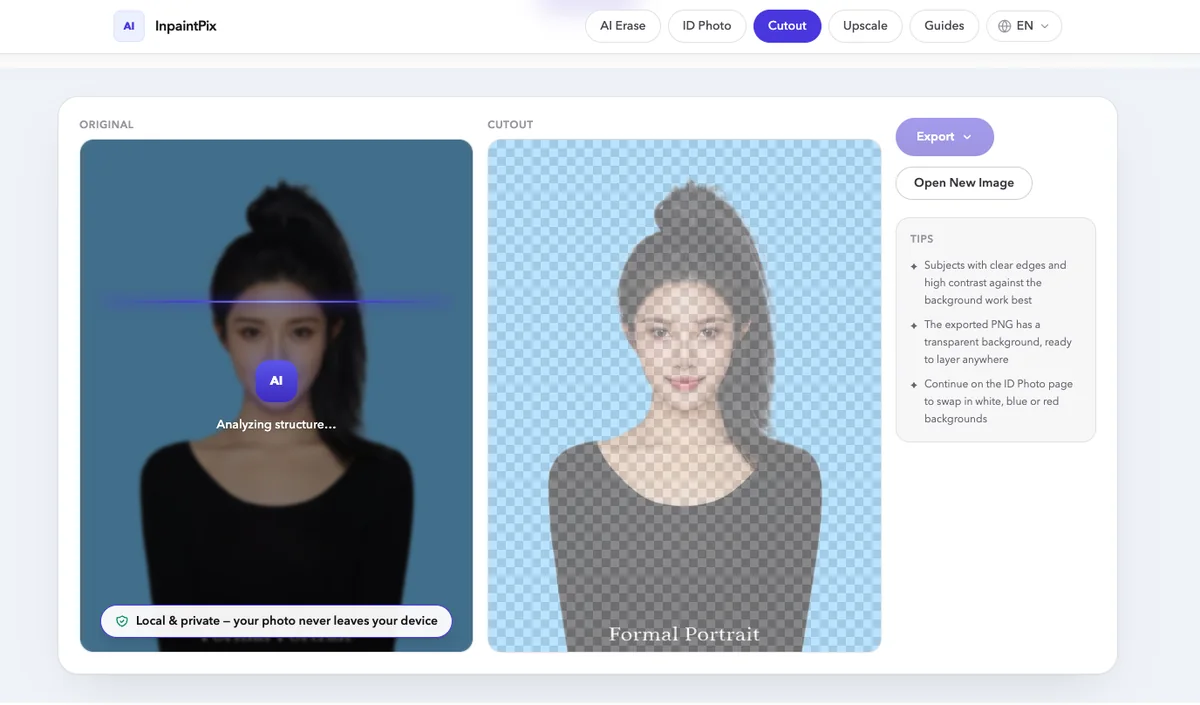
2Let it cut
The cut starts on its own. Four stages run in sequence: analyzing structure, extracting edges, rendering alpha, almost done. A green badge then confirms the subject has been extracted.
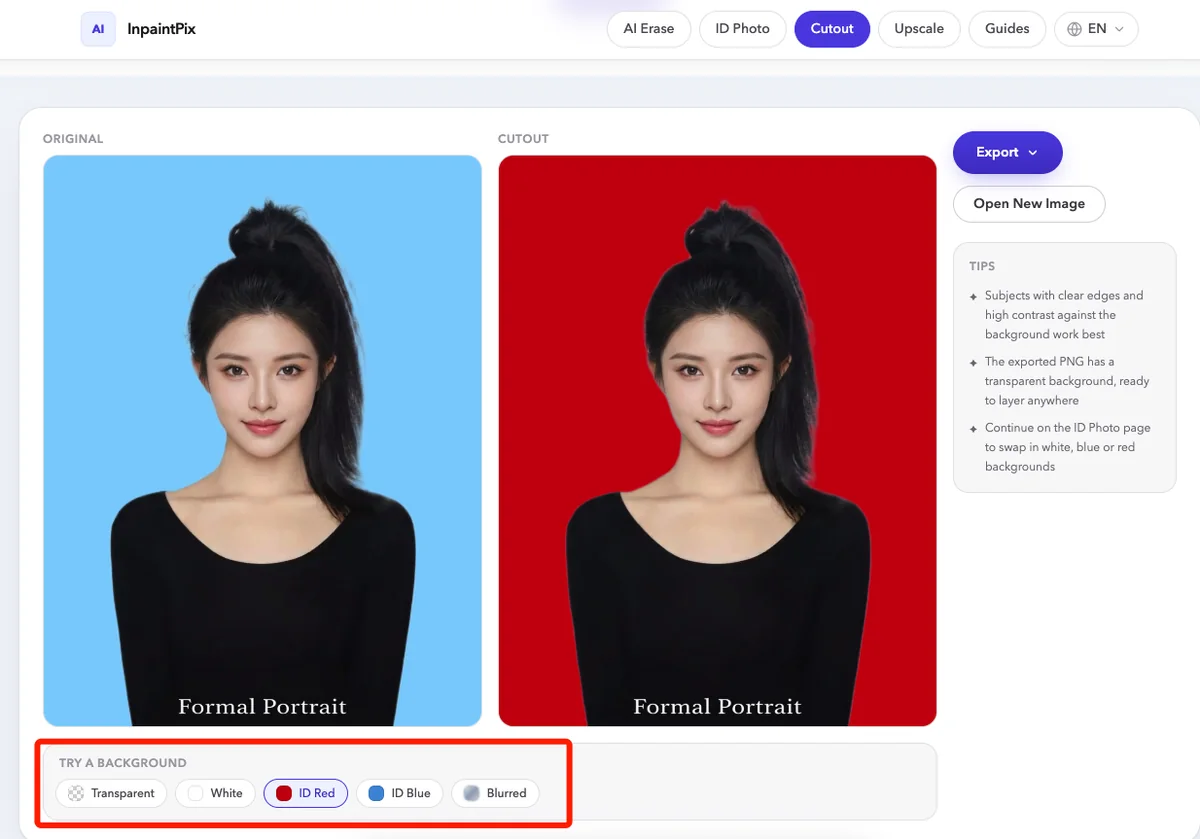
3Try a background
Five previews sit under the result: transparent, white, ID red, ID blue and blurred. Transparent exports with the alpha channel intact. White, ID red and ID blue fill the background with that colour. Blurred keeps the original photo behind the subject, out of focus.
Switching between them is instant, and the cut itself stays exactly as it is. Whichever preview you choose is the one that gets exported.
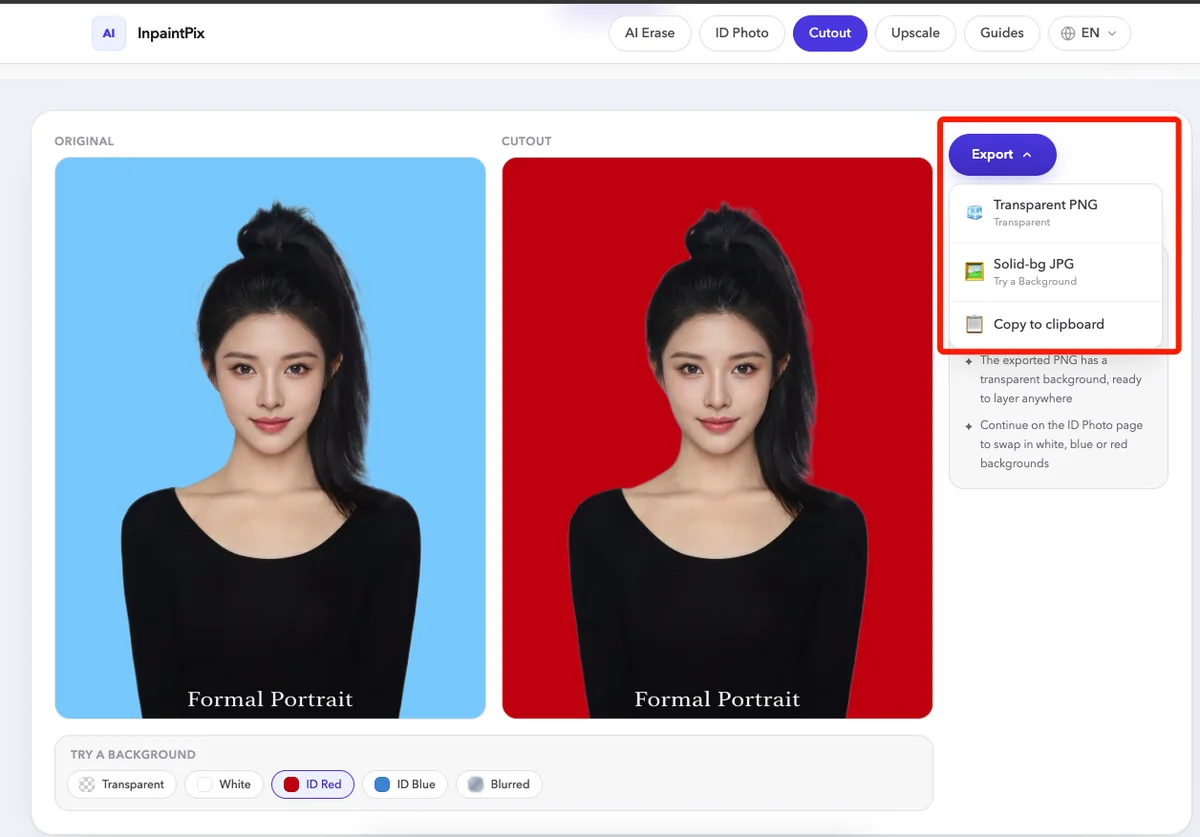
4Download
A transparent PNG keeps the alpha channel, ready to layer onto another design. A solid-bg JPG flattens the background you picked into an opaque file. Copy to clipboard puts the result straight on your clipboard instead of downloading it, and Open New Image clears the workspace for the next photo without a page reload.
More free tools
Three others on the same site, all running in your browser:
- AI Erase takes watermarks, text, people, objects and other flaws out of a photo.
- ID Photo puts the person on a white, blue, red, gradient or custom background at 1-inch, 2-inch or visa size, and lays out a printable sheet.
- Upscale enlarges an image 2x or 4x and rebuilds fine detail.
All of them are free, with no sign-up and no usage limits.
Got a photo sitting on your desktop right now? The whole cutout runs in your browser.
Remove the Background Free